A Password Generator With No Memory
I wanted to test Claude's ability to generate UI. An hour later, I had a password generator I use every day.
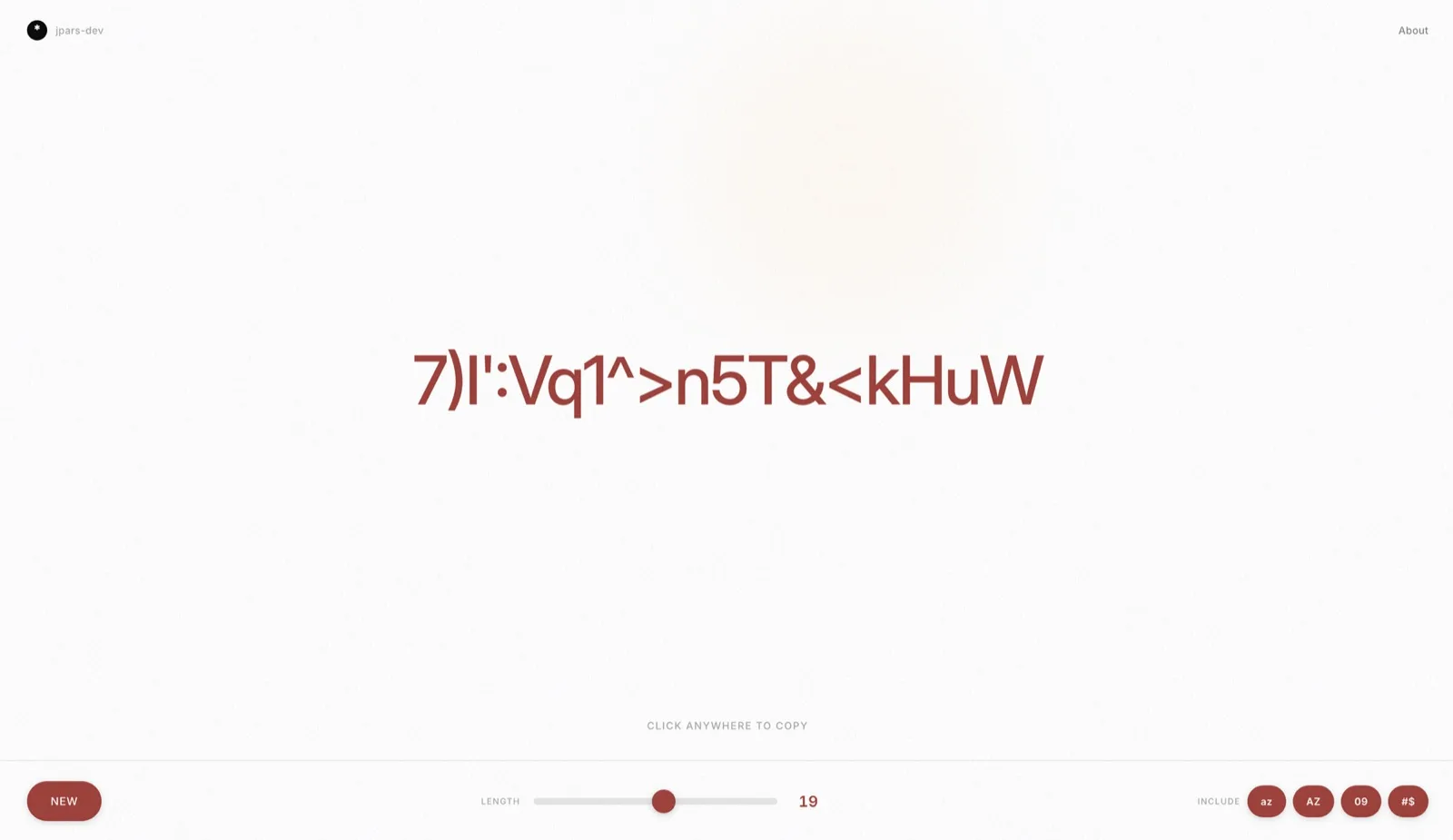
The project started as an experiment: could I describe what I wanted and have Claude build most of the interface? Turns out, yes. The result is clean, fast, and useful. New accounts, credential rotations, API keys. Anything that needs a strong random string.
How It Works
Your passwords are created locally in your browser using cryptographic randomness. Nothing is sent to a server. No database. No accounts. When you close the tab, the password is gone.
The interface is simple because the job is simple. Password front and center in large type. Click to copy. Controls at the bottom: generate, length, character types. You land on the page, click generate, and you're done.
Building With Claude
Most of the UI came from conversation. I described the layout I wanted, the interactions, the feel. Claude generated the components. I adjusted, refined, asked for changes. The back-and-forth felt more like working with a designer than writing code from scratch.
The interesting part wasn't the password logic (that's straightforward). It was seeing how well AI-assisted development works for small, focused projects. When you know exactly what you want, Claude can get you there fast.
The Details
Client-side only. No backend. Everything runs in your browser.
Web Crypto API. Uses crypto.getRandomValues(), the same randomness source used for encryption keys.
Minimal dependencies. The core logic doesn't rely on external libraries.
Works everywhere. Responsive, touch-friendly, legible on any screen.
Use It
The code is on GitHub if you want to see how it works or fork it for your own version.